
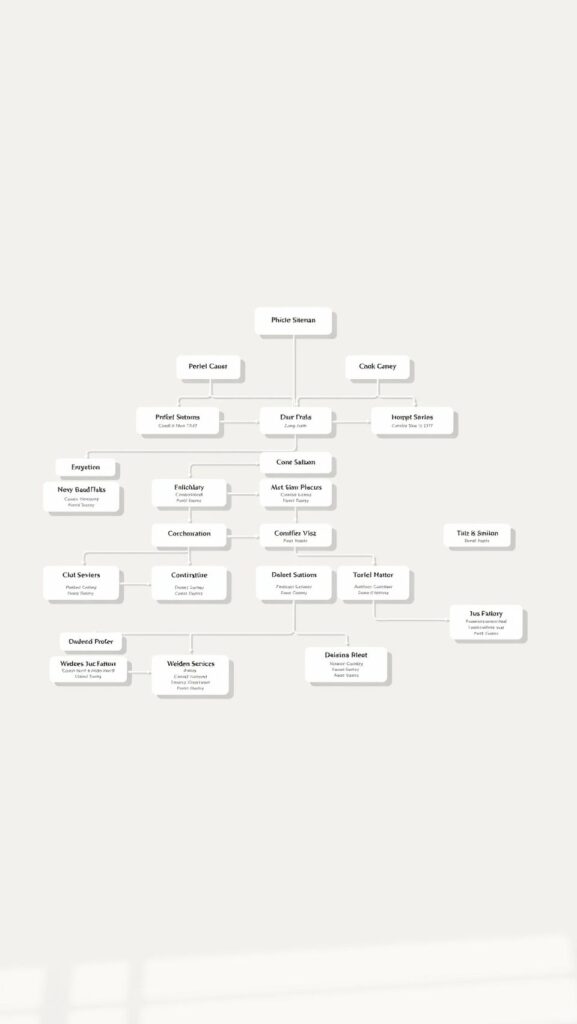
- Let me explain, in simple terms, what an XML sitemap is for and when it really helps your SEO.
- I’ll show you how to create it, segment it, compress it, and then host it properly.
- I’ll explain how to submit your site to Google and Bing, and the role of robots.txt.
- I share my best practices, my strong opinions, and mistakes you should definitely avoid.
- I’m providing you with ready-to-use templates, checklists, and a practical FAQ.
XML Sitemap: Definition, Purpose, and Implementation
I start with a simple principle: a XML sitemap is a file that lists the URLs you want search engines to crawl, along with metadata such as lastmod. In my opinion, it’s a tool that speeds up exploration, not a magic wand for indexing—and that alone is huge.
When is this useful? Whether it’s a large website, a bustling e-commerce site, a media platform with fresh content, or a site with weak internal linking, you’ll benefit from faster indexing, better coverage, and fewer “404” errors in search engine tools.
What is an XML sitemap?
A UTF-8 text file listing your indexable canonical URLs, served with a 200 status code. It may include tags for images, videos, or international content. Not to be confused with a HTML sitemap, designed with the user in mind.
Limitations and the concept of a sitemap index
A file is limited to 50,000 URLs or 50 MB uncompressed. Beyond that, I recommend using a sitemap index which references several segmented sitemaps—clean, readable, and robust.
Types of sitemaps and when to use them
Main Sitemap
- Include only canonical, indexable pages with a 200 status code.
- Exclude “noindex” pages, duplicate variants, and noisy parameters.
Sitemap index (multi-file)
- Segment by section: pages, articles, categories, products.
- Useful for monitoring freshness by silo and making precise assessments.
Specialized sitemaps
- Images : Highlight the key visuals on the strategic pages.
- Videos : Provide title, description, thumbnail, and duration.
- News : for very recent content, posted frequently.
- International : declare variants using hreflang (xhtml:link).
How to Create an XML Sitemap (Step-by-Step)
- I'm only listing canonical, indexable URLs that return a 200 status code.
- I am including <loc>, <lastmod>, and I avoid <changefreq>, <priority> which are optional and often misleading.
- I split the data if it exceeds 50,000 URLs or 50 MB, then I compress it into .gz.
- My site is hosted over HTTPS at a stable, clean URL.
- I am registering the location in robots.txt and I submit it to the search engines.
- I automate updates using my CMS, a cron job, or a CI/CD pipeline.
Example of a minimal sitemap (ready to copy—just edit the URLs and dates):
<? version= »1.0″ encoding= »UTF-8″?>
<urlset ns= »http://www.sitemaps.org/schemas/sitemap/0.9″>
<url>
https://www.exemple.com/
2025-08-01
</url>
<url>
https://www.exemple.com/produit/123
2025-07-15
</url>
</urlset>
Example of a sitemap index :
<? version= »1.0″ encoding= »UTF-8″?>
<sitemapindex ns= »http://www.sitemaps.org/schemas/sitemap/0.9″>
<sitemap>
https://www.exemple.com/sitemaps/sitemap-pages..gz
2025-08-01
</sitemap>
<sitemap>
https://www.exemple.com/sitemaps/sitemap-articles..gz
2025-08-01
</sitemap>
</sitemapindex>
Where and how to submit your sitemap
- Declare in robots.txt : write Sitemap: https://www.exemple.com/sitemap. (or the URL of your homepage).
- Submit explicitly in the search engines' webmaster tools.
- Monitor coverage, and then correct the reported issues.
The reference in robots.txt It’s not required, but it helps. In my opinion, direct submission often speeds up the indexing process, especially for new websites.
Best practices and recommendations
- Include only URLs with a 200 status code, canonical URLs, and URLs that are not marked as “noindex”.
- Refresh <lastmod> only when there are actual changes to the content.
- Always use absolute paths, UTF-8, and HTTPS everywhere.
- Segmenting by content type for tracking is a more elegant and clearer approach.
- Automate generation and publication to prevent human error.
- Regularly validate the syntax using an XML validator—a simple yet essential step.
Common Mistakes and How to Fix Them
404/500 URLs in the sitemap
I clean up the list, set up monitoring, and never include broken URLs.
“noindex” pages or inconsistent canonicals
I align the canonical tag with the listed URL and confidently exclude “noindex” pages.
Incorrect last-modified dates
I avoid using future dates or dates copied from elsewhere; I only update the information when there’s an actual change.
File is too large or too long
I cut out and use a sitemap index, ...that is the most sustainable approach.
Mixed protocols or domains
I standardize everything to HTTPS and separate multi-domain sites using distinct sitemaps, without any approximations.
Advanced cases
Image Sitemap
I’m adding image tags via URL to display key visuals, which is useful for exploring rich media.
Video Sitemap
I include the title, description, thumbnail, and duration, and I focus on pages where the video is the main feature, not just a secondary element.
International and hreflang
I declare the language variants via xhtml:link rel=»alternate» hreflang, to avoid regional ambiguities.
Large-scale e-commerce sites
I prioritize strategic categories and active products; I exclude filtered pages that cannot be indexed; I maintain a clear scope.
Useful tools
- CMS Plugins : automatically generated, updated with each post.
- CLI scripts : Generate sitemaps from your build, with quality control.
- Static generators : Sitemaps generated at compile time, stable and fast.
- Validators : XML linters and HTTP status checkers.
- Scheduled jobs : cron or CI/CD pipeline, for scheduled updates.
Quick FAQ
What is an XML sitemap used for?
To quickly direct robots to your important URLs. I see it as a flight plan—concise and reliable.
Does a small website need a sitemap?
Often, yes—it’s even simple. For a fully optimized microsite, it’s optional, but I recommend it; it’s inexpensive.
What is the difference between an HTML sitemap and an XML sitemap?
HTML helps your visitors; XML helps search engines. Two audiences, two goals, a useful synergy.
How do I fix the “URL not in the sitemap” error?
I add the canonical URL to the correct file, regenerate it, submit it, and then check the coverage, taking my time.
How do I automatically update the sitemap?
I set up the CMS or deployment to regenerate content every time it goes live, with a daily cron job as a backup.
Ready-to-copy template
<? version= »1.0″ encoding= »UTF-8″?>
<urlset ns= »http://www.sitemaps.org/schemas/sitemap/0.9″>
https://www.votresite.com/2025-08-01
https://www.votresite.com/article/exemple2025-07-30
</urlset>
Quick checklist before submission
- 200 status codes, canonical tags, no “noindex” tags.
- realistic, updated when actual changes occur.
- Files with fewer than 50,000 URLs or 50 MB; otherwise, index.
- .gz compression enabled, HTTPS hosting.
- Line Sitemap: added to robots.txt.
- Submission completed, coverage verified, issues resolved.
Pour aller plus loin sur ce sujet, consultez aussi notre article sur Technical SEO.










 English
 Français
 Español
 Italiano
 Deutsch
 Nederlands